

INTEGRATION GUIDE / SHOPIFY
Shopify Integration
Connect WEBXPAY to your Shopify store.
Start integration →1. Get the WEBXPAY app
Open the Shopify App Store and add WEBXPAY to your store.
Open Shopify App Store ↗2. Install the app
Select Install and complete activation.


3. Configure your credentials
Open Manage, enter the public and secret keys issued in your WEBXPAY merchant account, and save.
Use your own merchant credentials. Never share your secret key.
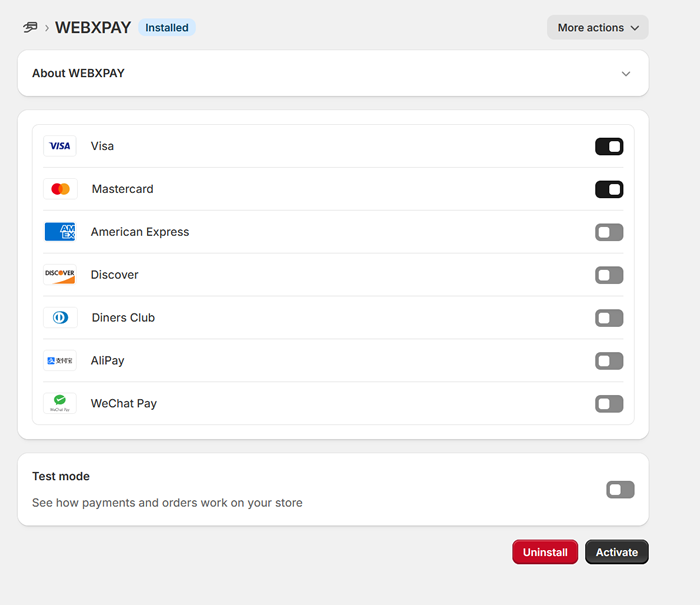
4. Configure payment methods
Use Manage to enable or disable payment methods and test mode. Activate WEBXPAY when ready.
5. Configure the return URL
In the WEBXPAY Merchant Portal, open Settings → Website integration and add:
https://webxpay.secureapps.center/reply.php